Home Building Designer Resume template
Building Designer resume template
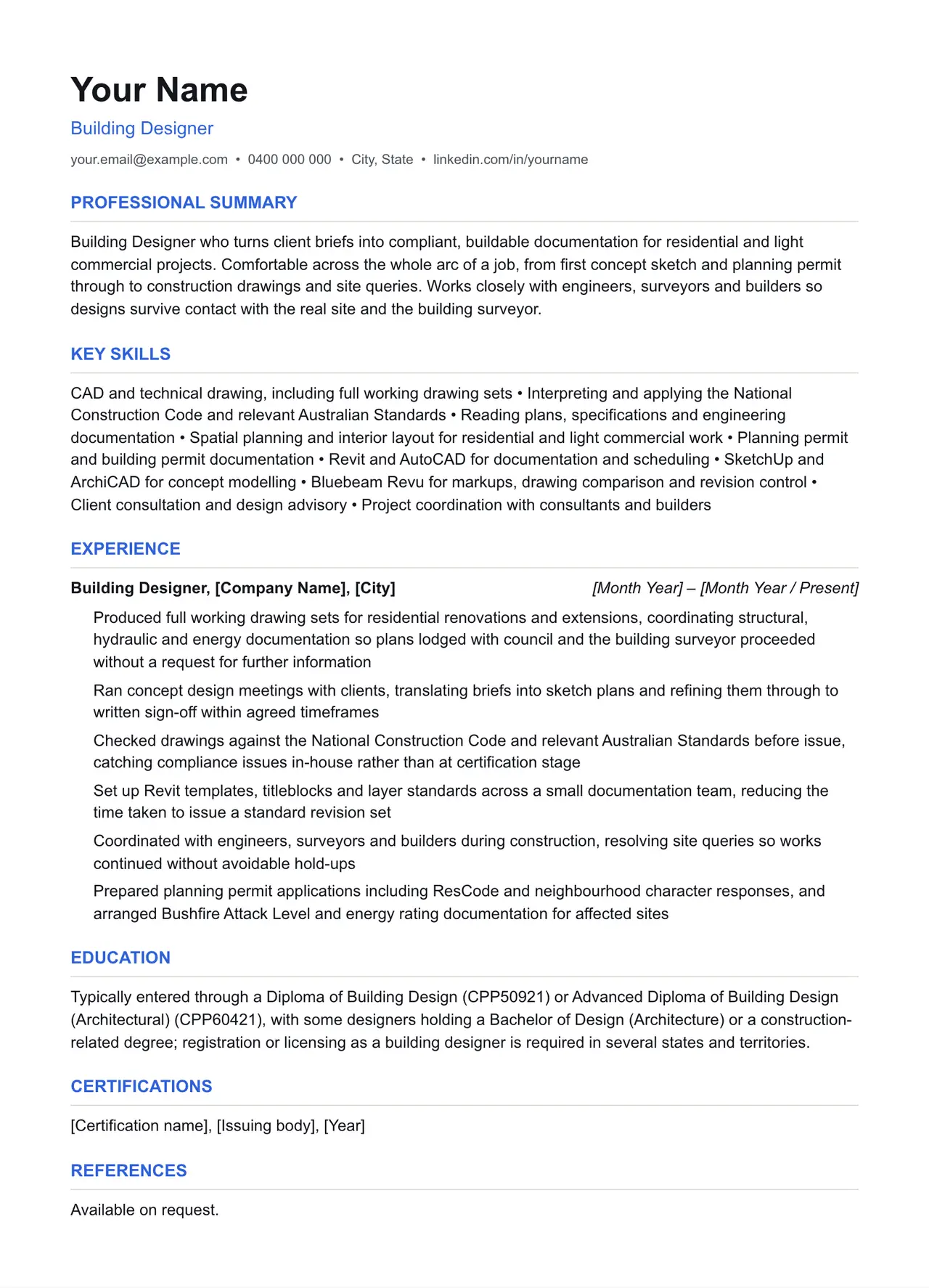
A clean starting structure with example content grounded in what building designers actually do day to day, not generic filler. Download and replace the bracketed placeholders with your own details.
Which resume format should you use?
Reverse chronological
You have a steady work history. This is the format almost every recruiter and ATS expects by default.
Functional
You're changing fields or have gaps in your employment. Leads with skills rather than a job-by-job timeline.
Combination
You're early career or have worked consistently but for only a few employers. Blends a skills summary with a shorter chronological history.
This template uses the reverse chronological format: the one most building designers should default to, since most Australian recruiters and ATS software expect it.
Professional summary
Building Designer who turns client briefs into compliant, buildable documentation for residential and light commercial projects. Comfortable across the whole arc of a job, from first concept sketch and planning permit through to construction drawings and site queries. Works closely with engineers, surveyors and builders so designs survive contact with the real site and the building surveyor.
Key skills
- CAD and technical drawing, including full working drawing sets
- Interpreting and applying the National Construction Code and relevant Australian Standards
- Reading plans, specifications and engineering documentation
- Spatial planning and interior layout for residential and light commercial work
- Planning permit and building permit documentation
- Revit and AutoCAD for documentation and scheduling
- SketchUp and ArchiCAD for concept modelling
- Bluebeam Revu for markups, drawing comparison and revision control
- Client consultation and design advisory
- Project coordination with consultants and builders
Experience: example bullet points
- Produced full working drawing sets for residential renovations and extensions, coordinating structural, hydraulic and energy documentation so plans lodged with council and the building surveyor proceeded without a request for further information
- Ran concept design meetings with clients, translating briefs into sketch plans and refining them through to written sign-off within agreed timeframes
- Checked drawings against the National Construction Code and relevant Australian Standards before issue, catching compliance issues in-house rather than at certification stage
- Set up Revit templates, titleblocks and layer standards across a small documentation team, reducing the time taken to issue a standard revision set
- Coordinated with engineers, surveyors and builders during construction, resolving site queries so works continued without avoidable hold-ups
- Prepared planning permit applications including ResCode and neighbourhood character responses, and arranged Bushfire Attack Level and energy rating documentation for affected sites
Education
Typically entered through a Diploma of Building Design (CPP50921) or Advanced Diploma of Building Design (Architectural) (CPP60421), with some designers holding a Bachelor of Design (Architecture) or a construction-related degree; registration or licensing as a building designer is required in several states and territories.
Keywords an ATS is likely to scan for
Applicant tracking systems match your resume against terms in the job ad before a person ever sees it. Only include the ones that actually apply to your experience, but if a term below matches something you've done, use the same wording the job ad uses.
- National Construction Code
- NCC
- Australian Standards
- building designer registration
- Victorian Building Authority
- NSW Fair Trading design practitioner
- QBCC building design licence
- planning permit
- building permit
- working drawings
- town planning scheme
- ResCode
- Bushfire Attack Level
- NatHERS
- BASIX
- building surveyor
- certifier
- structural engineer
- Revit
- AutoCAD
- ArchiCAD
- SketchUp
- Bluebeam Revu
- Building Designers Association of Australia
Getting past ATS screening
- Match the specific skills, certifications and terms used in the job ad, not just your own wording for the same thing.
- Keep formatting simple: no tables, text boxes, columns, headers/footers or graphics. Parsers frequently drop content placed in these.
- Submit as .docx or PDF unless the job ad specifies otherwise.
- Use standard section headings (Experience, Education, Skills) rather than creative alternatives.
- List your core skills and technical competencies in their own section so a keyword scan can find them instantly.
This is a starting point, not a guarantee of interviews. Tailor every bullet point to your own real experience and the specific job ad.
Resume advice
- Skills to put on your resume (with skills finder)A resume skills section built for the job you're applying for. Search your occupation to see the specialist skills, tools and general skills it calls for, with worked examples and what to write if you have no work history yet.
- Should you put references on your resume?Whether to write references available on request on an Australian resume, what the official guidance says, and how to have a referee list ready before you need it.
- How to write a resume with no work experienceHow to write a resume with no paid work experience, with what to list instead, the order to use and example entries for school leavers and graduates.