Home Mechanical Drafter Resume template
Mechanical Drafter resume template
A clean starting structure with example content grounded in what mechanical drafters actually do day to day, not generic filler. Download and replace the bracketed placeholders with your own details.
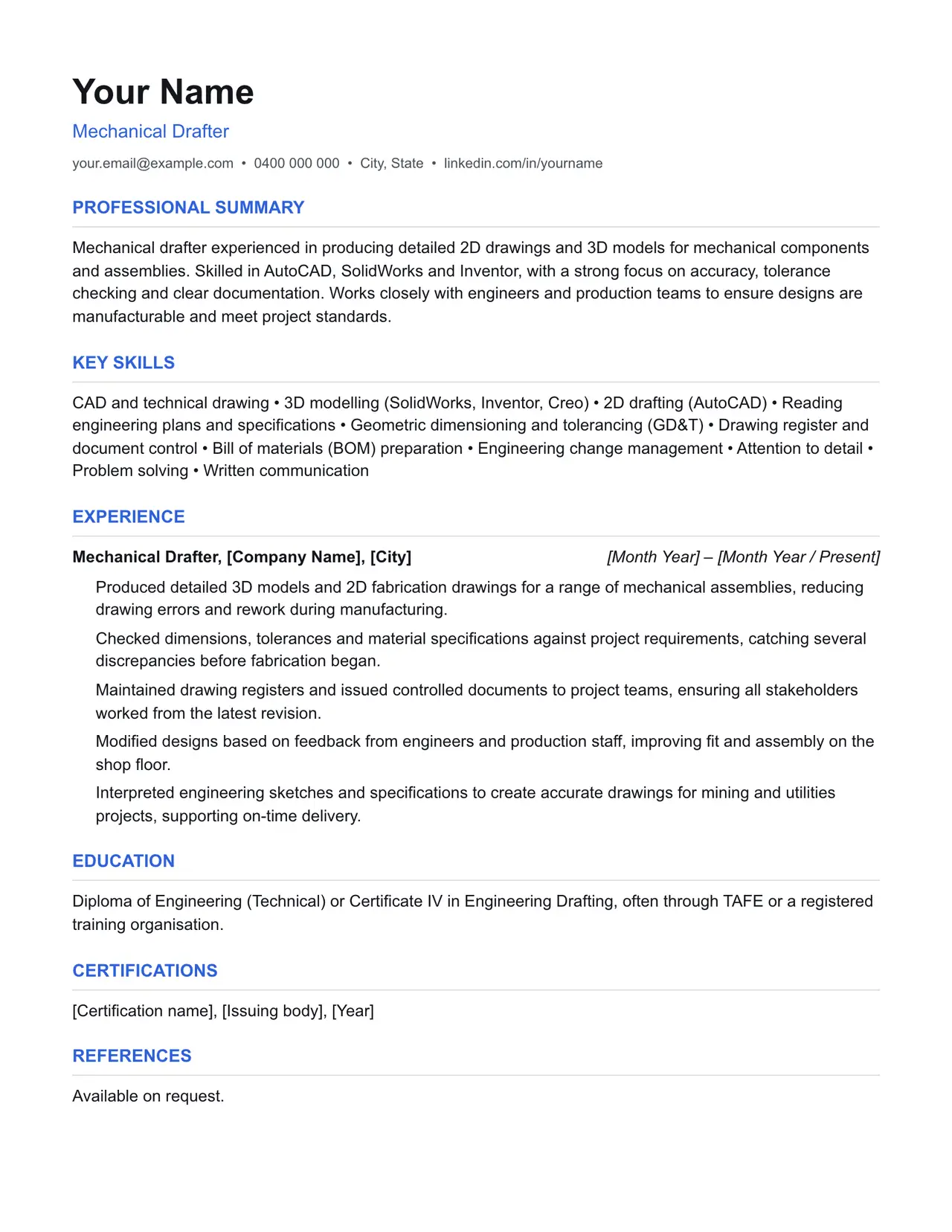
Which resume format should you use?
Reverse chronological
You have a steady work history. This is the format almost every recruiter and ATS expects by default.
Functional
You're changing fields or have gaps in your employment. Leads with skills rather than a job-by-job timeline.
Combination
You're early career or have worked consistently but for only a few employers. Blends a skills summary with a shorter chronological history.
This template uses the reverse chronological format: the one most mechanical drafters should default to, since most Australian recruiters and ATS software expect it.
Professional summary
Mechanical drafter experienced in producing detailed 2D drawings and 3D models for mechanical components and assemblies. Skilled in AutoCAD, SolidWorks and Inventor, with a strong focus on accuracy, tolerance checking and clear documentation. Works closely with engineers and production teams to ensure designs are manufacturable and meet project standards.
Key skills
- CAD and technical drawing
- 3D modelling (SolidWorks, Inventor, Creo)
- 2D drafting (AutoCAD)
- Reading engineering plans and specifications
- Geometric dimensioning and tolerancing (GD&T)
- Drawing register and document control
- Bill of materials (BOM) preparation
- Engineering change management
- Attention to detail
- Problem solving
- Written communication
Experience: example bullet points
- Produced detailed 3D models and 2D fabrication drawings for a range of mechanical assemblies, reducing drawing errors and rework during manufacturing.
- Checked dimensions, tolerances and material specifications against project requirements, catching several discrepancies before fabrication began.
- Maintained drawing registers and issued controlled documents to project teams, ensuring all stakeholders worked from the latest revision.
- Modified designs based on feedback from engineers and production staff, improving fit and assembly on the shop floor.
- Interpreted engineering sketches and specifications to create accurate drawings for mining and utilities projects, supporting on-time delivery.
Education
Diploma of Engineering (Technical) or Certificate IV in Engineering Drafting, often through TAFE or a registered training organisation.
Keywords an ATS is likely to scan for
Applicant tracking systems match your resume against terms in the job ad before a person ever sees it. Only include the ones that actually apply to your experience, but if a term below matches something you've done, use the same wording the job ad uses.
- AS 1100
- Australian Standards
- AutoCAD
- SolidWorks
- Autodesk Inventor
- Creo
- GD&T
- 2D drafting
- 3D modelling
- drawing register
- document control
- BOM
- engineering change request
- WHS
- mine site
- fabrication drawings
- shop drawings
- as-built drawings
- PDM
- Vault
- Teamcenter
- TAFE
- Cert IV Engineering Drafting
- Diploma of Engineering
Getting past ATS screening
- Match the specific skills, certifications and terms used in the job ad, not just your own wording for the same thing.
- Keep formatting simple: no tables, text boxes, columns, headers/footers or graphics. Parsers frequently drop content placed in these.
- Submit as .docx or PDF unless the job ad specifies otherwise.
- Use standard section headings (Experience, Education, Skills) rather than creative alternatives.
- List your core skills and technical competencies in their own section so a keyword scan can find them instantly.
This is a starting point, not a guarantee of interviews. Tailor every bullet point to your own real experience and the specific job ad.
Resume advice
- Skills to put on your resume (with skills finder)A resume skills section built for the job you're applying for. Search your occupation to see the specialist skills, tools and general skills it calls for, with worked examples and what to write if you have no work history yet.
- Should you put references on your resume?Whether to write references available on request on an Australian resume, what the official guidance says, and how to have a referee list ready before you need it.
- How to write a resume with no work experienceHow to write a resume with no paid work experience, with what to list instead, the order to use and example entries for school leavers and graduates.