Home Front End Developer Resume template
Front End Developer resume template
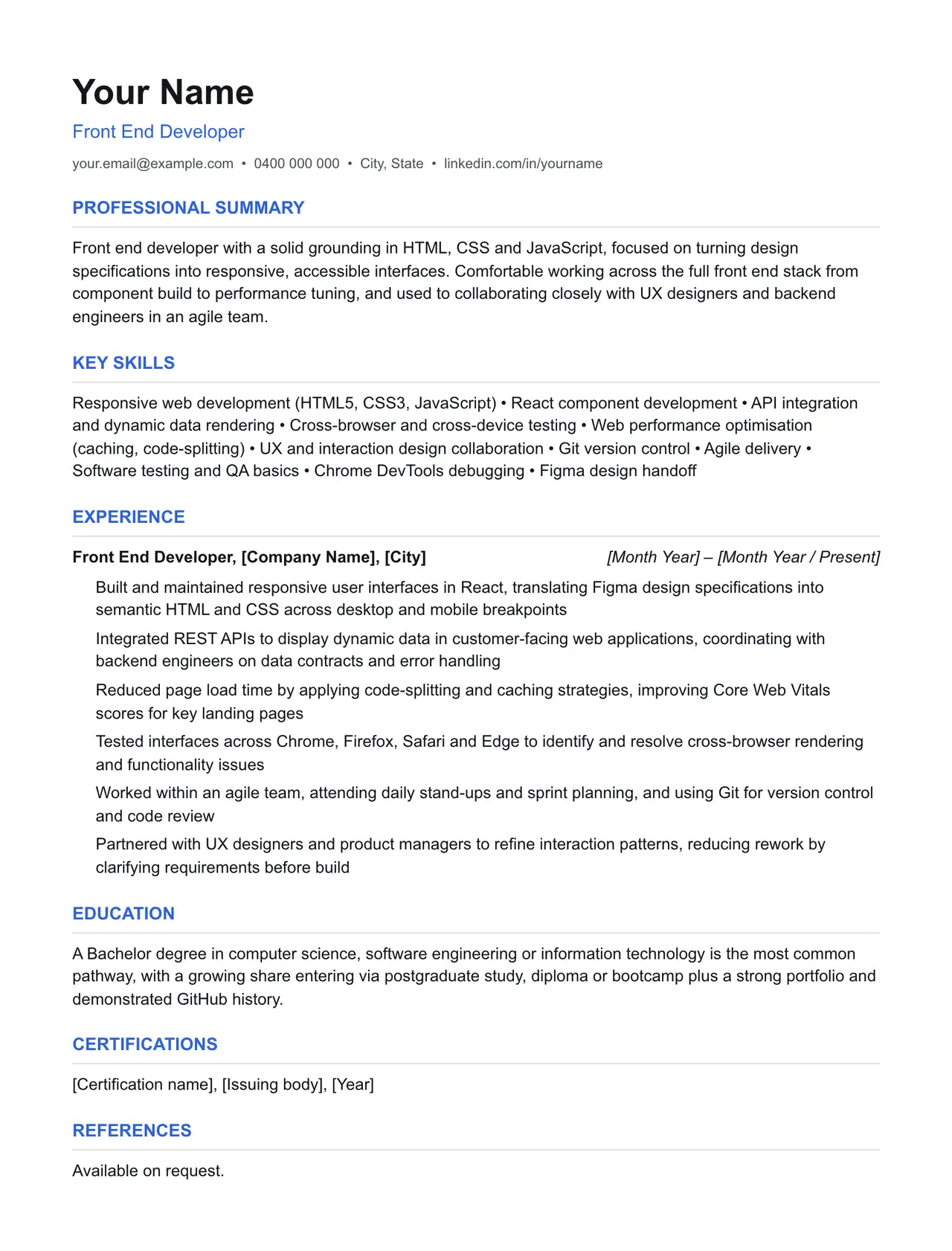
A clean starting structure with example content grounded in what front end developers actually do day to day, not generic filler. Download and replace the bracketed placeholders with your own details.
Which resume format should you use?
Reverse chronological
You have a steady work history. This is the format almost every recruiter and ATS expects by default.
Functional
You're changing fields or have gaps in your employment. Leads with skills rather than a job-by-job timeline.
Combination
You're early career or have worked consistently but for only a few employers. Blends a skills summary with a shorter chronological history.
This template uses the reverse chronological format: the one most front end developers should default to, since most Australian recruiters and ATS software expect it.
Professional summary
Front end developer with a solid grounding in HTML, CSS and JavaScript, focused on turning design specifications into responsive, accessible interfaces. Comfortable working across the full front end stack from component build to performance tuning, and used to collaborating closely with UX designers and backend engineers in an agile team.
Key skills
- Responsive web development (HTML5, CSS3, JavaScript)
- React component development
- API integration and dynamic data rendering
- Cross-browser and cross-device testing
- Web performance optimisation (caching, code-splitting)
- UX and interaction design collaboration
- Git version control
- Agile delivery
- Software testing and QA basics
- Chrome DevTools debugging
- Figma design handoff
Experience: example bullet points
- Built and maintained responsive user interfaces in React, translating Figma design specifications into semantic HTML and CSS across desktop and mobile breakpoints
- Integrated REST APIs to display dynamic data in customer-facing web applications, coordinating with backend engineers on data contracts and error handling
- Reduced page load time by applying code-splitting and caching strategies, improving Core Web Vitals scores for key landing pages
- Tested interfaces across Chrome, Firefox, Safari and Edge to identify and resolve cross-browser rendering and functionality issues
- Worked within an agile team, attending daily stand-ups and sprint planning, and using Git for version control and code review
- Partnered with UX designers and product managers to refine interaction patterns, reducing rework by clarifying requirements before build
Education
A Bachelor degree in computer science, software engineering or information technology is the most common pathway, with a growing share entering via postgraduate study, diploma or bootcamp plus a strong portfolio and demonstrated GitHub history.
Keywords an ATS is likely to scan for
Applicant tracking systems match your resume against terms in the job ad before a person ever sees it. Only include the ones that actually apply to your experience, but if a term below matches something you've done, use the same wording the job ad uses.
- React
- JavaScript
- HTML5
- CSS3
- TypeScript
- API integration
- responsive design
- WCAG 2.1 accessibility
- cross-browser testing
- Git
- Chrome DevTools
- Figma
- Agile delivery
- code splitting
- Core Web Vitals
- REST API
- UX collaboration
- Visual Studio Code
Getting past ATS screening
- Match the specific skills, certifications and terms used in the job ad, not just your own wording for the same thing.
- Keep formatting simple: no tables, text boxes, columns, headers/footers or graphics. Parsers frequently drop content placed in these.
- Submit as .docx or PDF unless the job ad specifies otherwise.
- Use standard section headings (Experience, Education, Skills) rather than creative alternatives.
- List your core skills and technical competencies in their own section so a keyword scan can find them instantly.
This is a starting point, not a guarantee of interviews. Tailor every bullet point to your own real experience and the specific job ad.
Resume advice
- Skills to put on your resume (with skills finder)A resume skills section built for the job you're applying for. Search your occupation to see the specialist skills, tools and general skills it calls for, with worked examples and what to write if you have no work history yet.
- Should you put references on your resume?Whether to write references available on request on an Australian resume, what the official guidance says, and how to have a referee list ready before you need it.
- How to write a resume with no work experienceHow to write a resume with no paid work experience, with what to list instead, the order to use and example entries for school leavers and graduates.