Home Photographer Resume template
Photographer resume template
A clean starting structure with example content grounded in what photographers actually do day to day, not generic filler. Download and replace the bracketed placeholders with your own details.
Which resume format should you use?
Reverse chronological
You have a steady work history. This is the format almost every recruiter and ATS expects by default.
Functional
You're changing fields or have gaps in your employment. Leads with skills rather than a job-by-job timeline.
Combination
You're early career or have worked consistently but for only a few employers. Blends a skills summary with a shorter chronological history.
This template uses the reverse chronological format: the one most photographers should default to, since most Australian recruiters and ATS software expect it.
Professional summary
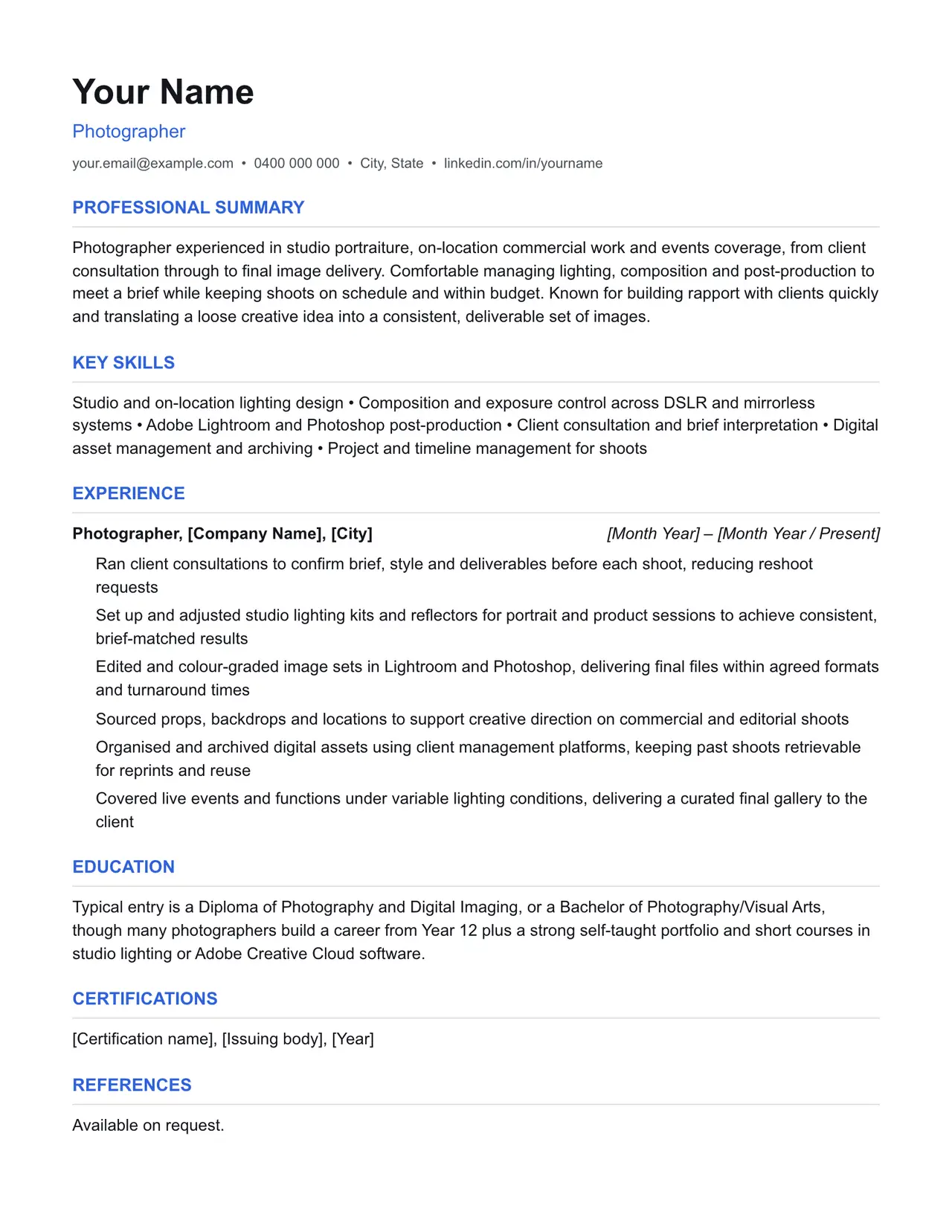
Photographer experienced in studio portraiture, on-location commercial work and events coverage, from client consultation through to final image delivery. Comfortable managing lighting, composition and post-production to meet a brief while keeping shoots on schedule and within budget. Known for building rapport with clients quickly and translating a loose creative idea into a consistent, deliverable set of images.
Key skills
- Studio and on-location lighting design
- Composition and exposure control across DSLR and mirrorless systems
- Adobe Lightroom and Photoshop post-production
- Client consultation and brief interpretation
- Digital asset management and archiving
- Project and timeline management for shoots
Experience: example bullet points
- Ran client consultations to confirm brief, style and deliverables before each shoot, reducing reshoot requests
- Set up and adjusted studio lighting kits and reflectors for portrait and product sessions to achieve consistent, brief-matched results
- Edited and colour-graded image sets in Lightroom and Photoshop, delivering final files within agreed formats and turnaround times
- Sourced props, backdrops and locations to support creative direction on commercial and editorial shoots
- Organised and archived digital assets using client management platforms, keeping past shoots retrievable for reprints and reuse
- Covered live events and functions under variable lighting conditions, delivering a curated final gallery to the client
Education
Typical entry is a Diploma of Photography and Digital Imaging, or a Bachelor of Photography/Visual Arts, though many photographers build a career from Year 12 plus a strong self-taught portfolio and short courses in studio lighting or Adobe Creative Cloud software.
Keywords an ATS is likely to scan for
Applicant tracking systems match your resume against terms in the job ad before a person ever sees it. Only include the ones that actually apply to your experience, but if a term below matches something you've done, use the same wording the job ad uses.
- Adobe Lightroom
- Adobe Photoshop
- Adobe Creative Cloud
- studio lighting
- on-location shoot
- client brief
- model release form
- copyright and image licensing
- portrait photography
- commercial photography
- editorial photography
- events photography
- digital asset management
- ABN sole trader
- AIPP (Australian Institute of Professional Photography)
- portfolio management platform
Getting past ATS screening
- Match the specific skills, certifications and terms used in the job ad, not just your own wording for the same thing.
- Keep formatting simple: no tables, text boxes, columns, headers/footers or graphics. Parsers frequently drop content placed in these.
- Submit as .docx or PDF unless the job ad specifies otherwise.
- Use standard section headings (Experience, Education, Skills) rather than creative alternatives.
- List your core skills and technical competencies in their own section so a keyword scan can find them instantly.
This is a starting point, not a guarantee of interviews. Tailor every bullet point to your own real experience and the specific job ad.
Resume advice
- Skills to put on your resume (with skills finder)A resume skills section built for the job you're applying for. Search your occupation to see the specialist skills, tools and general skills it calls for, with worked examples and what to write if you have no work history yet.
- Should you put references on your resume?Whether to write references available on request on an Australian resume, what the official guidance says, and how to have a referee list ready before you need it.
- How to write a resume with no work experienceHow to write a resume with no paid work experience, with what to list instead, the order to use and example entries for school leavers and graduates.