Home Virtual Assistant Resume template
Virtual Assistant resume template
A clean starting structure with example content grounded in what virtual assistants actually do day to day, not generic filler. Download and replace the bracketed placeholders with your own details.
Which resume format should you use?
Reverse chronological
You have a steady work history. This is the format almost every recruiter and ATS expects by default.
Functional
You're changing fields or have gaps in your employment. Leads with skills rather than a job-by-job timeline.
Combination
You're early career or have worked consistently but for only a few employers. Blends a skills summary with a shorter chronological history.
This template uses the reverse chronological format: the one most virtual assistants should default to, since most Australian recruiters and ATS software expect it.
Professional summary
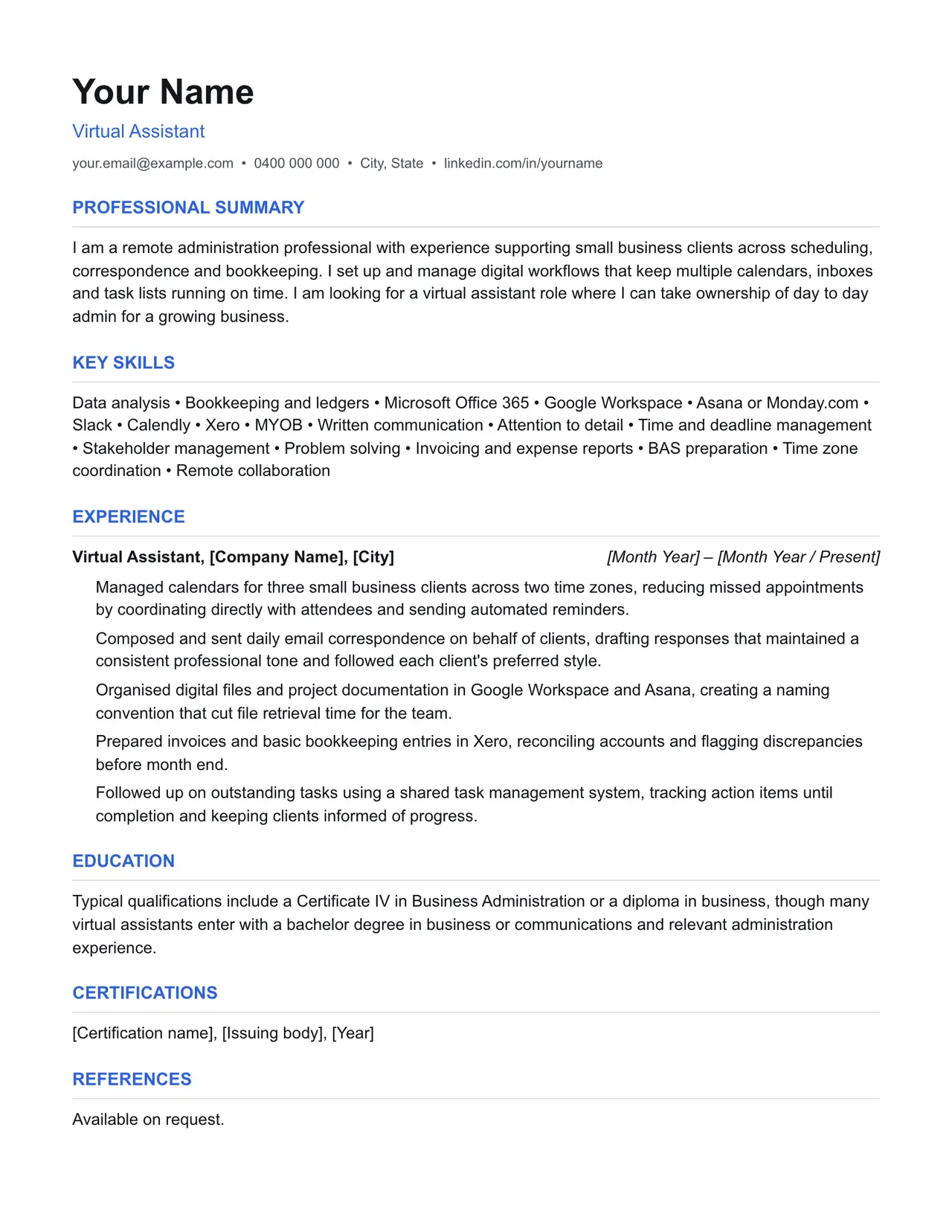
I am a remote administration professional with experience supporting small business clients across scheduling, correspondence and bookkeeping. I set up and manage digital workflows that keep multiple calendars, inboxes and task lists running on time. I am looking for a virtual assistant role where I can take ownership of day to day admin for a growing business.
Key skills
- Data analysis
- Bookkeeping and ledgers
- Microsoft Office 365
- Google Workspace
- Asana or Monday.com
- Slack
- Calendly
- Xero
- MYOB
- Written communication
- Attention to detail
- Time and deadline management
- Stakeholder management
- Problem solving
- Invoicing and expense reports
- BAS preparation
- Time zone coordination
- Remote collaboration
Experience: example bullet points
- Managed calendars for three small business clients across two time zones, reducing missed appointments by coordinating directly with attendees and sending automated reminders.
- Composed and sent daily email correspondence on behalf of clients, drafting responses that maintained a consistent professional tone and followed each client's preferred style.
- Organised digital files and project documentation in Google Workspace and Asana, creating a naming convention that cut file retrieval time for the team.
- Prepared invoices and basic bookkeeping entries in Xero, reconciling accounts and flagging discrepancies before month end.
- Followed up on outstanding tasks using a shared task management system, tracking action items until completion and keeping clients informed of progress.
Education
Typical qualifications include a Certificate IV in Business Administration or a diploma in business, though many virtual assistants enter with a bachelor degree in business or communications and relevant administration experience.
Keywords an ATS is likely to scan for
Applicant tracking systems match your resume against terms in the job ad before a person ever sees it. Only include the ones that actually apply to your experience, but if a term below matches something you've done, use the same wording the job ad uses.
- Virtual assistant
- Remote administration
- Calendar management
- Email correspondence
- Bookkeeping
- Xero
- MYOB
- Google Workspace
- Microsoft Office 365
- Asana
- Monday.com
- Slack
- Calendly
- ABN
- BAS
- GST
- Australian Taxation Office
- Time zone management
- Client liaison
- Invoicing
- Expense reports
- Data analysis
- Task management
- Stakeholder management
Getting past ATS screening
- Match the specific skills, certifications and terms used in the job ad, not just your own wording for the same thing.
- Keep formatting simple: no tables, text boxes, columns, headers/footers or graphics. Parsers frequently drop content placed in these.
- Submit as .docx or PDF unless the job ad specifies otherwise.
- Use standard section headings (Experience, Education, Skills) rather than creative alternatives.
- List your core skills and technical competencies in their own section so a keyword scan can find them instantly.
This is a starting point, not a guarantee of interviews. Tailor every bullet point to your own real experience and the specific job ad.
Resume advice
- Skills to put on your resume (with skills finder)A resume skills section built for the job you're applying for. Search your occupation to see the specialist skills, tools and general skills it calls for, with worked examples and what to write if you have no work history yet.
- Should you put references on your resume?Whether to write references available on request on an Australian resume, what the official guidance says, and how to have a referee list ready before you need it.
- How to write a resume with no work experienceHow to write a resume with no paid work experience, with what to list instead, the order to use and example entries for school leavers and graduates.