Home Wedding Planner Resume template
Wedding Planner resume template
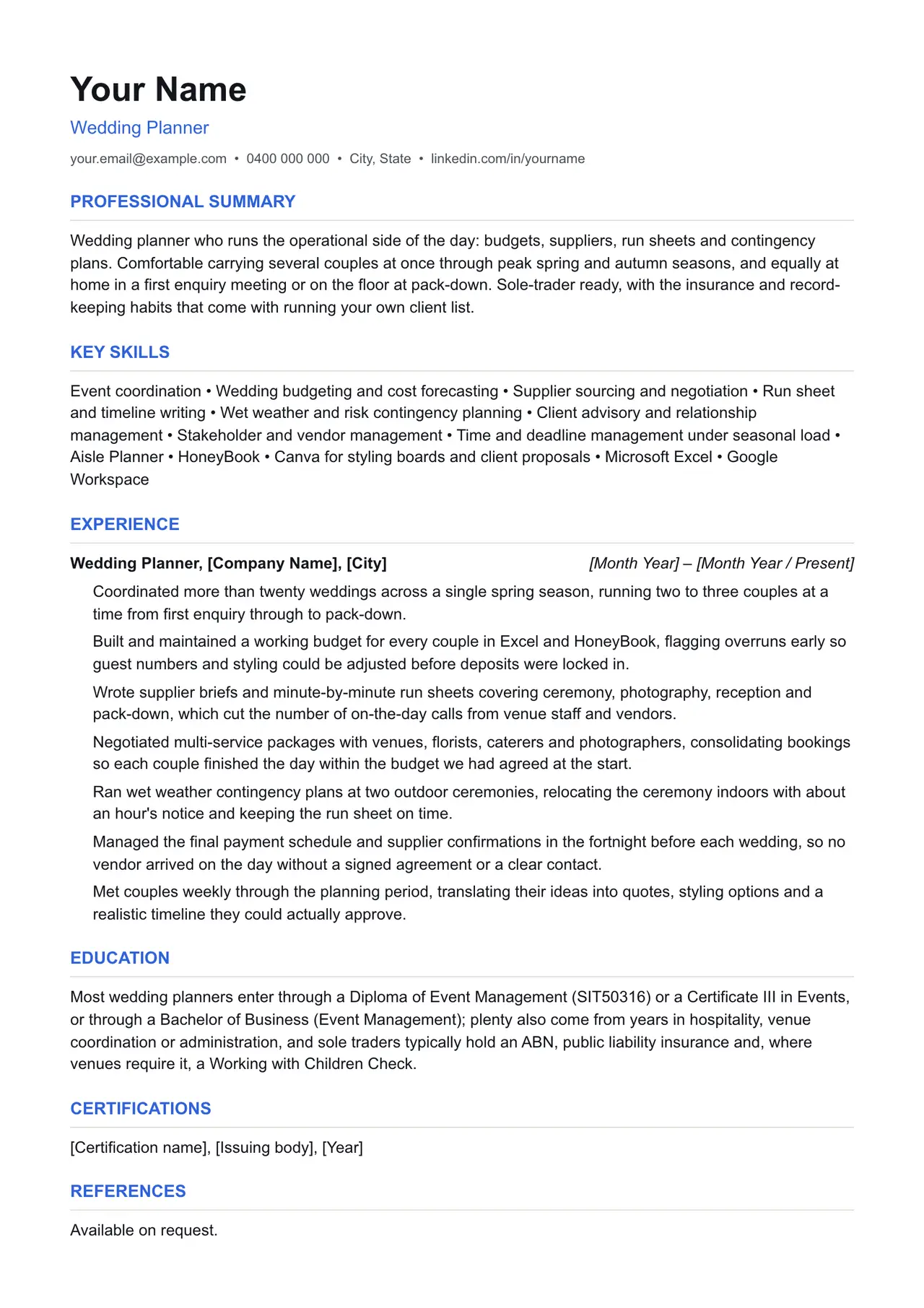
A clean starting structure with example content grounded in what wedding planners actually do day to day, not generic filler. Download and replace the bracketed placeholders with your own details.
Which resume format should you use?
Reverse chronological
You have a steady work history. This is the format almost every recruiter and ATS expects by default.
Functional
You're changing fields or have gaps in your employment. Leads with skills rather than a job-by-job timeline.
Combination
You're early career or have worked consistently but for only a few employers. Blends a skills summary with a shorter chronological history.
This template uses the reverse chronological format: the one most wedding planners should default to, since most Australian recruiters and ATS software expect it.
Professional summary
Wedding planner who runs the operational side of the day: budgets, suppliers, run sheets and contingency plans. Comfortable carrying several couples at once through peak spring and autumn seasons, and equally at home in a first enquiry meeting or on the floor at pack-down. Sole-trader ready, with the insurance and record-keeping habits that come with running your own client list.
Key skills
- Event coordination
- Wedding budgeting and cost forecasting
- Supplier sourcing and negotiation
- Run sheet and timeline writing
- Wet weather and risk contingency planning
- Client advisory and relationship management
- Stakeholder and vendor management
- Time and deadline management under seasonal load
- Aisle Planner
- HoneyBook
- Canva for styling boards and client proposals
- Microsoft Excel
- Google Workspace
Experience: example bullet points
- Coordinated more than twenty weddings across a single spring season, running two to three couples at a time from first enquiry through to pack-down.
- Built and maintained a working budget for every couple in Excel and HoneyBook, flagging overruns early so guest numbers and styling could be adjusted before deposits were locked in.
- Wrote supplier briefs and minute-by-minute run sheets covering ceremony, photography, reception and pack-down, which cut the number of on-the-day calls from venue staff and vendors.
- Negotiated multi-service packages with venues, florists, caterers and photographers, consolidating bookings so each couple finished the day within the budget we had agreed at the start.
- Ran wet weather contingency plans at two outdoor ceremonies, relocating the ceremony indoors with about an hour's notice and keeping the run sheet on time.
- Managed the final payment schedule and supplier confirmations in the fortnight before each wedding, so no vendor arrived on the day without a signed agreement or a clear contact.
- Met couples weekly through the planning period, translating their ideas into quotes, styling options and a realistic timeline they could actually approve.
Education
Most wedding planners enter through a Diploma of Event Management (SIT50316) or a Certificate III in Events, or through a Bachelor of Business (Event Management); plenty also come from years in hospitality, venue coordination or administration, and sole traders typically hold an ABN, public liability insurance and, where venues require it, a Working with Children Check.
Keywords an ATS is likely to scan for
Applicant tracking systems match your resume against terms in the job ad before a person ever sees it. Only include the ones that actually apply to your experience, but if a term below matches something you've done, use the same wording the job ad uses.
- Event management
- Wedding coordination
- Run sheet
- Supplier negotiation
- Budget tracking
- Venue liaison
- Public liability insurance
- ABN sole trader
- Wedding celebrant liaison
- Wet weather contingency
- Client proposals
- Event risk management
- Meetings and Events Australia
- Aisle Planner
- HoneyBook
- Canva
Getting past ATS screening
- Match the specific skills, certifications and terms used in the job ad, not just your own wording for the same thing.
- Keep formatting simple: no tables, text boxes, columns, headers/footers or graphics. Parsers frequently drop content placed in these.
- Submit as .docx or PDF unless the job ad specifies otherwise.
- Use standard section headings (Experience, Education, Skills) rather than creative alternatives.
- List your core skills and technical competencies in their own section so a keyword scan can find them instantly.
This is a starting point, not a guarantee of interviews. Tailor every bullet point to your own real experience and the specific job ad.
Resume advice
- Skills to put on your resume (with skills finder)A resume skills section built for the job you're applying for. Search your occupation to see the specialist skills, tools and general skills it calls for, with worked examples and what to write if you have no work history yet.
- Should you put references on your resume?Whether to write references available on request on an Australian resume, what the official guidance says, and how to have a referee list ready before you need it.
- How to write a resume with no work experienceHow to write a resume with no paid work experience, with what to list instead, the order to use and example entries for school leavers and graduates.